Version v3.0.4
Edit Client Applications
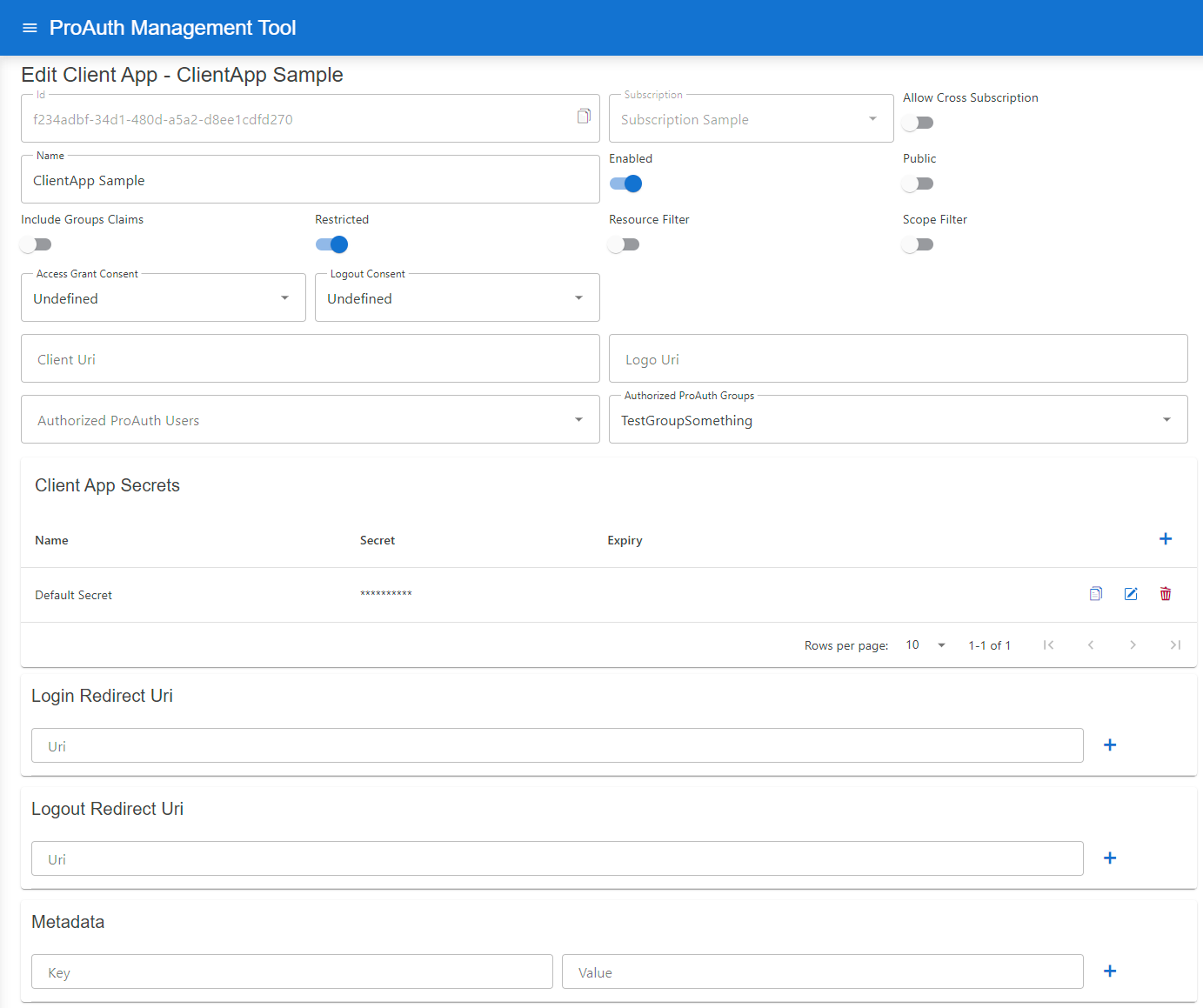
Following additional configuration can be changed once a ClientApp is created:
| Setting | Description |
|---|---|
| Allow Cross Subscription | Allows a client application to be used across multiple subscriptions instead of just the one in which it was created |
| Resource Filter | Enable to only grant Resources defined in the ClientApp Resources list |
| Scope Filter | Enable to only grant Scopes defined in the ClientApp Scopes list |
| Access Token Type | Controls whether access tokens are returned as self-contained JWTs or as opaque reference tokens |
| Access Grant Consent | Define the consent type when logging in |
| Logout Consent | Define the consent type when logging in |
| Client Uri | Define the Client Application URI; optional |
| Logo Uri | Define a Client Application logo URI, optional |
| Authorized ProAuth Users | List of ProAuth users which are allowed to login (only available when client app is Restricted ) |
| Authorized ProAuth Groups | List of ProAuth group member users which are allowed to login (only available when client app is Restricted ) |
| Client App Secrets | List of secrets for this Client Application, possibility to set an expiration |
| Client App Key Sets | List of public or protected key sets used for private_key_jwt, JAR, self_signed_tls_client_auth, and token encryption |
| Login Redirect Uri | Define a Client Application redirect URI, mandatory |
| Logout Redirect Uri | Define a Client Application logout redirect URI, optional when not using Logout |
| Backchannel Logout Uri | HTTPS endpoint on the client application that receives OIDC back-channel logout POST requests |
| Backchannel Logout Session Required | Enable when the client requires a sid claim in every logout token |
| Frontchannel Logout Uri | HTTP(S) endpoint on the client application that ProAuth loads in a hidden iframe during browser logout |
| Frontchannel Logout Session Required | Enable when the client requires iss and sid on every front-channel logout iframe URL |
| Metadata | List of detail information for this Client Application (unique key) |
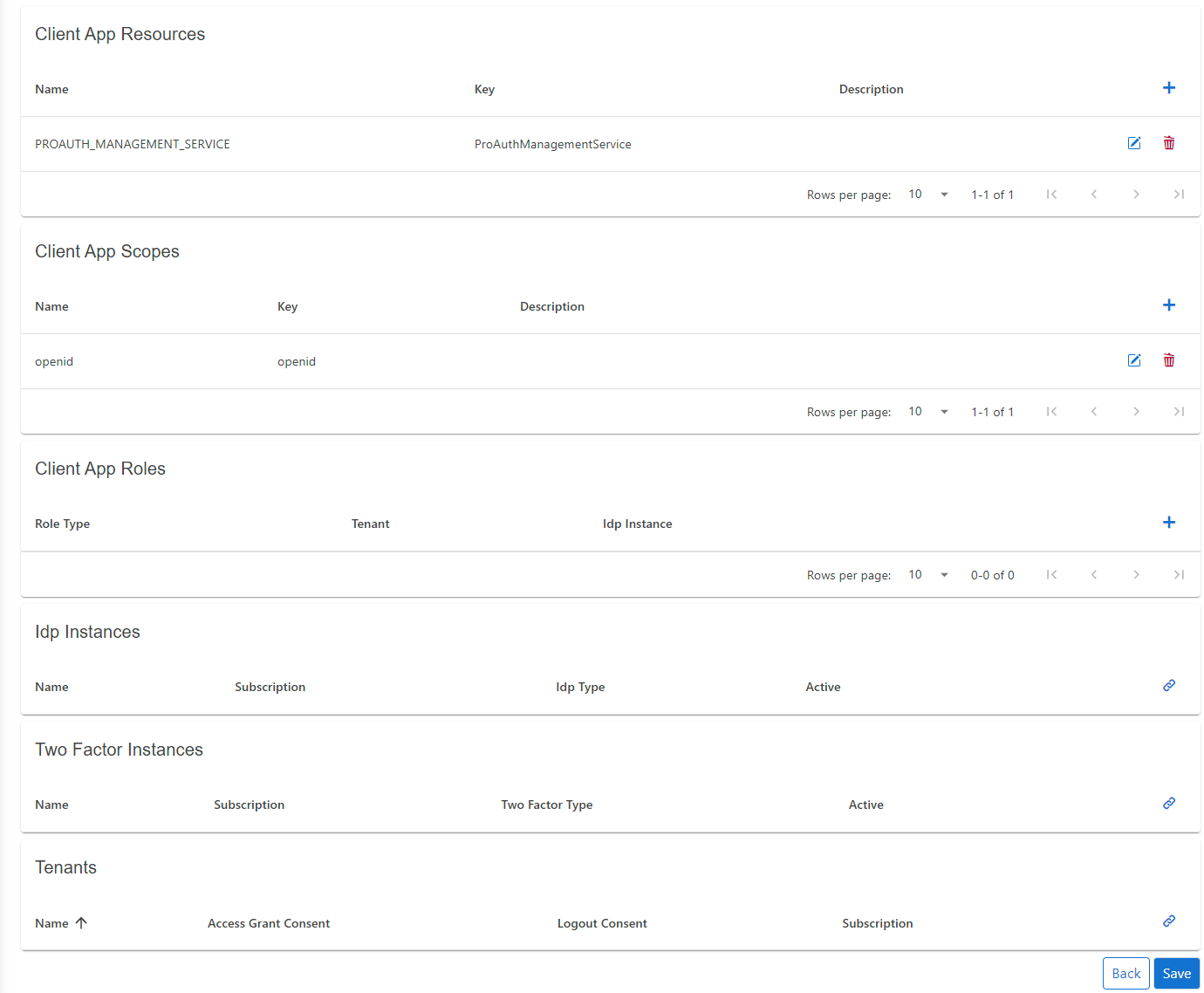
| ClientApp Resources | List of allowed or available Resources for this Client Application |
| ClientApp Scopes | List of allowed or available Scopes for this Client Application |
| ClientApp Roles | List of available Roles for the Client Application |
| MFA Instances | List of available MFA instances |
| Tenants | List of allowed Tenants which can use the Client Application for authentication; if empty, no Tenant filter is active |
Dynamic login redirect URI
If your application uses subdomains or URL paths to identify the tenant, you can set placeholders in the login redirect URI. In this case, the login request parameter acr_values with the tenant property can be omitted.
The following placeholders are supported:
tenantkeyThis setting is defined in the Tenant entity
tenantidThis is the primary key of the Tenant entity
INFO
The redirect URI and the placeholders must be lowercase.
Samples:
https://.myapp.comhttps://www.myapp.com/https://www.myapp.com/