Version v3.2.0
ProAuth Users
Every time when a User is redirected back to ProAuth after a successful login on the federated IDP, ProAuth checks if a ProAuth user already exists based on the unique ID by the returned Token . If the setting Auto Create ProAuth User in the IDP Instance is activated, a ProAuth user is automatically created if it doesn't exists or it is updated.
A new created ProAuth user is configured as following:
- set as
Active - gets the Role
UserSelfServiceManagement(formerlyUserAdmin), intended to allow the user to manage only their own ProAuthUser record. The role carries aFieldEqualsCondition("Id", "@CurrentUser.Id")in the catalog; runtime per-record enforcement of this condition is deferred (see RBAC — Known limitations). Tenant isolation continues to be enforced by the existing subscription-scope filter. - Add MFA factors for supported claims if they are available
- MFA factor email address from
email,emailaddressclaims - MFA factor mobile phone number from
mobilephoneclaim
- MFA factor email address from
- Assign MFA instance when claim is available
- MFA instance ID in
mfainstanceidclaim
- MFA instance ID in
At each login, the MFA factors and MFA information are updated for a ProAuth user.
Once a ProAuth user exists, it can be edited.
Create ProAuth User
ProAuth users cannot be created since the information about the user from the federated IDP is not known to generate a unique ProAuth user. This is always done by the ProAuth backend.
Invite ProAuth User
Since ProAuth users cannot be created directly, there exists a possibility to prepare and configure ProAuth users. Then once the user logs in, the configuration for that user is already done. This can be achieved by the invitation functionality for ProAuth users.
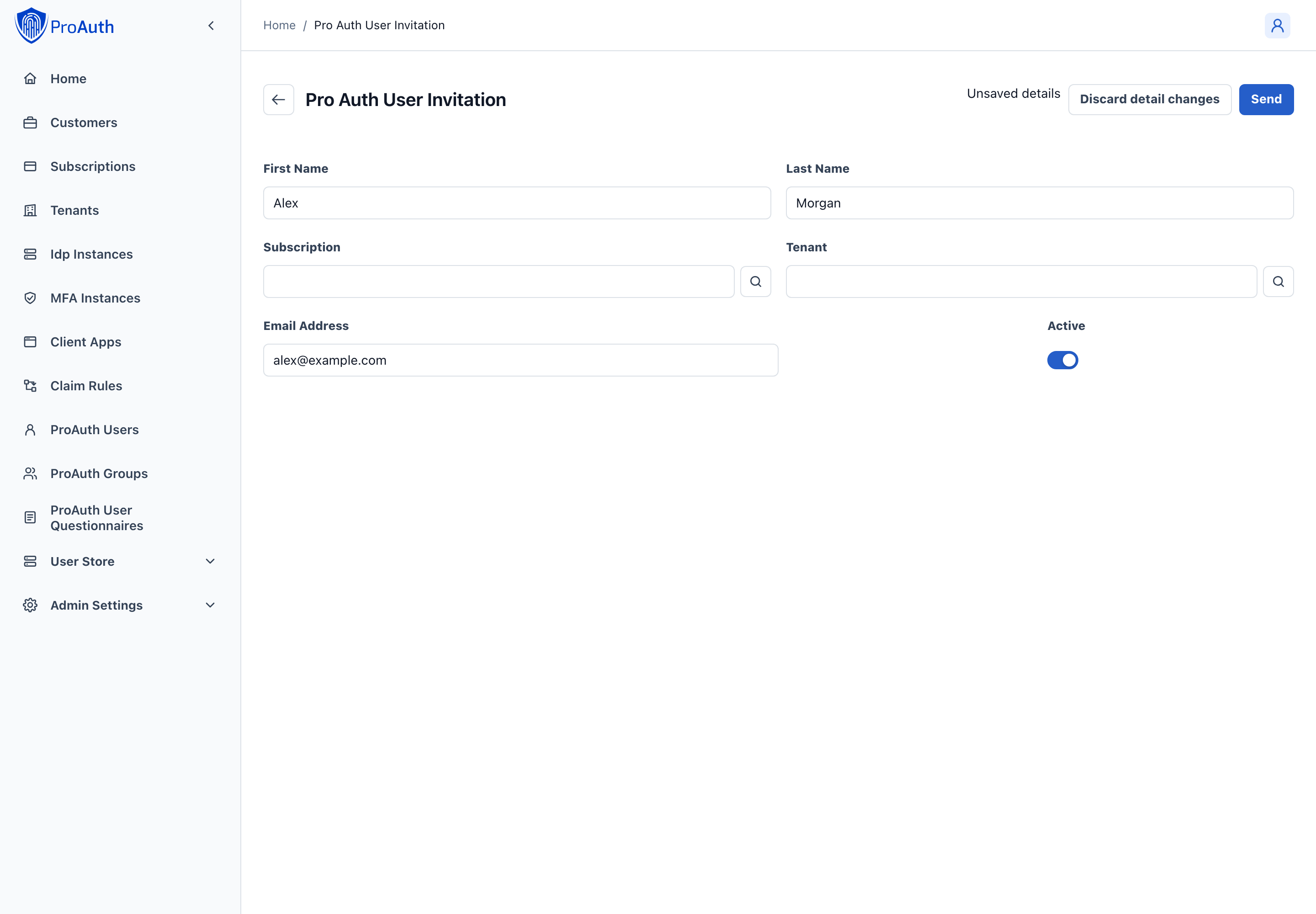
For creating an invitation, the First Name, Last Name and Email Address information are required. Once the invitation is created, an invitation email is sent to the email address of the user. The user has the possibility to complete the invitation by clicking on the link in the email.
WARNING
A user who has received an invitation can still log in normally into ProAuth when this is allowed by the IDP. Then an additional ProAuth user is created next to the invitation user. Therefore it's recommended to disable the setting Auto Create ProAuth User on the IDP when working with invitations for ProAuth users.
Edit ProAuth User
To edit a ProAuth user, at least the security role SubscriptionAdmin is necessary.
INFO
For users managed by SCIM or User Store synchronization, the React AdminApp keeps synchronized personal, organizational, activation and group fields read-only and restricts child-edit actions. Update synchronized data in its source. The SCIM synchronized indicator is derived from the external synchronization identifier.
The ProAuth user has a few properties to store personal data:
First NameLast NameEmail Address
There is also the possibility to store enterprise information directly on the ProAuth user:
Organisational UnitManager
More detail information for the ProAuth User can be added as Profile data. The Profile data are stored as key-value list entries which can contain every information, where the key must be unique.
It's also possible to assign the ProAuth user as a member of a ProAuth group by choosing the ProAuth groups in Member of groups.
A ProAuth user can also have additional specific roles, in addition to the role already created automatically.
INFO
A ProAuth user inherits all Roles by it's ProAuth group membership.
A ProAuth user can be configured for specific MFA instances.
INFO
A ProAuth user inherits MFA instances from the configured MFA instances of the ClientApp, Tenant and IDP Instance.
A ClientApp can restrict a login to a selection of ProAuth users. If this is required, select the ClientApp in the Authorized Client Apps setting.
React AdminApp edit workflow
A ProAuth user is the identity presented to applications. Its authentication can originate in a local User Store or an external identity provider. Local passwords, validity dates and lockout state belong to the User Store user.
| Tab | Configuration and workflow |
|---|---|
| General | Review login name and personal details, organizational unit and manager, activation and synchronization status, and record identifiers. Login name, ID and subscription remain read-only. |
| Security | Inspect registered MFA factors separately from assigned MFA providers. These are separate resources: assigning a provider does not itself enroll a factor. |
| Permissions | Review ProAuth group membership alongside direct role assignments. Consider inherited group roles when assessing access. |
| Profiles | Manage additional profile attributes using the existing key/value workflow. |
| Federation | Inspect the identity provider and linked federated identities. Provider selection remains read-only on this page. |
Request user details again marks the saved record so the configured user-details flow can run at the next login. It does not reset a password. The adjacent status is read-only. This action and the child relationship/profile commands retain their existing save boundaries; switching tabs does not merge them into the parent Save transaction.
Field help explains the distinction between local credentials and the application-facing identity, and why synchronized fields cannot be edited here. General account activation does not bypass the underlying provider’s own validity, lockout or password checks.