Appearance
Auth View Customization
Every authentication view in ProAuth can be customized. The level of customization can be from very specific to very generic.
Overridable levels:
- Global template view (default view from ProAuth)
- Subscription
- ClientApp
- Tenant
The ViewLocator of ProAuth starts looking for custom views bottom-up. If no custom views are found, always the template is always used.
Create new custom view from template
Steps to create a new custom view from a template:
- Navigate to the ProAuth Admin UI and login with a user with is a
SystemAdmin - Navigate to
Admin Settings, then toViewsand click onAdd view by template
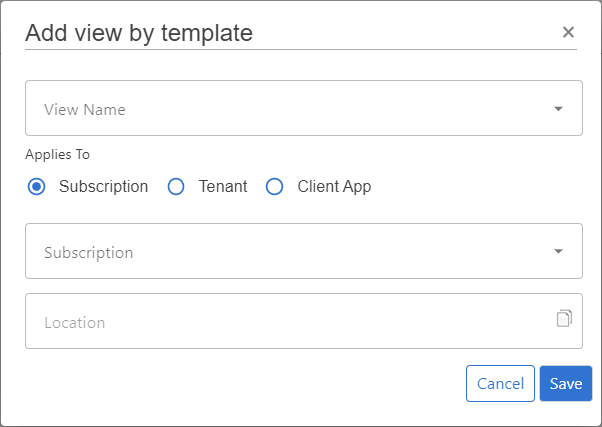
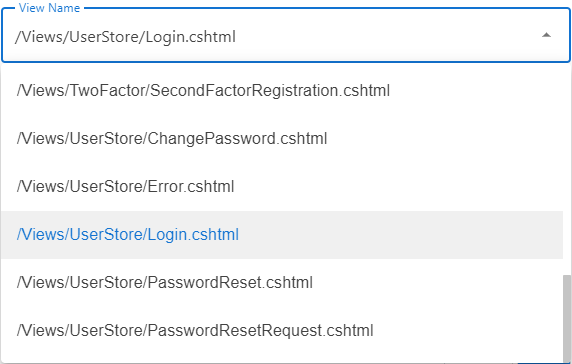
- Select the template view you want to override in
View Name
Select the level to which you want to associate the view. The chosen level with the corresponding id will be part of the path.
- Subscription
- ClientApp
- Tenant
Click
Save
INFO
For each level a customized view is necessary, a custom view for this path has to be created.
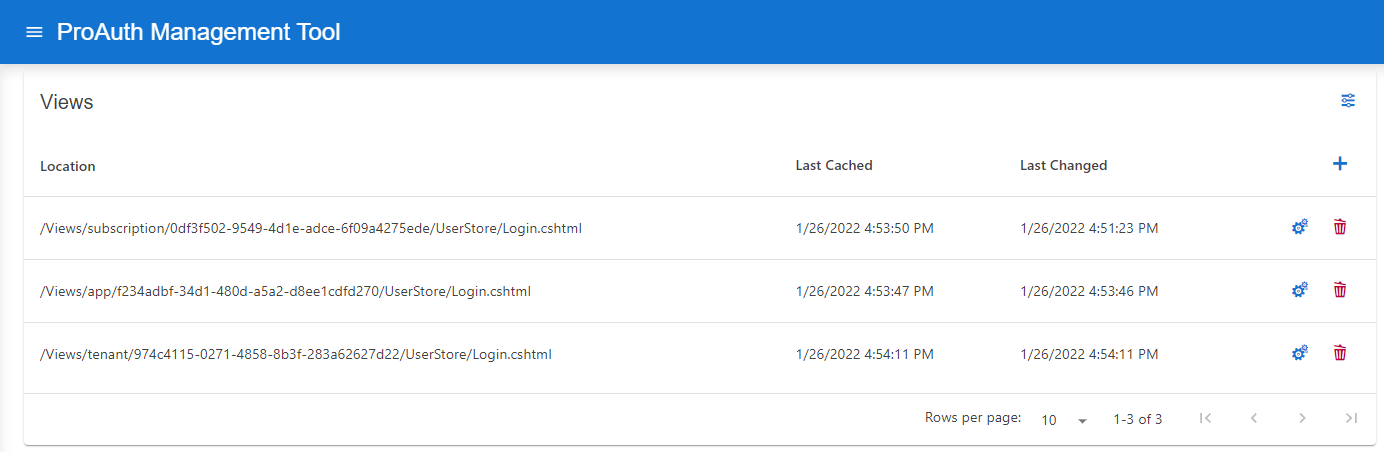
Edit custom views
After the creation of the custom view in the step before, you can now start customizing the view.
To start editing the custom view, open the custom view in the extended editor. You are now able to edit the markup in an inline editor with syntax highlighting.
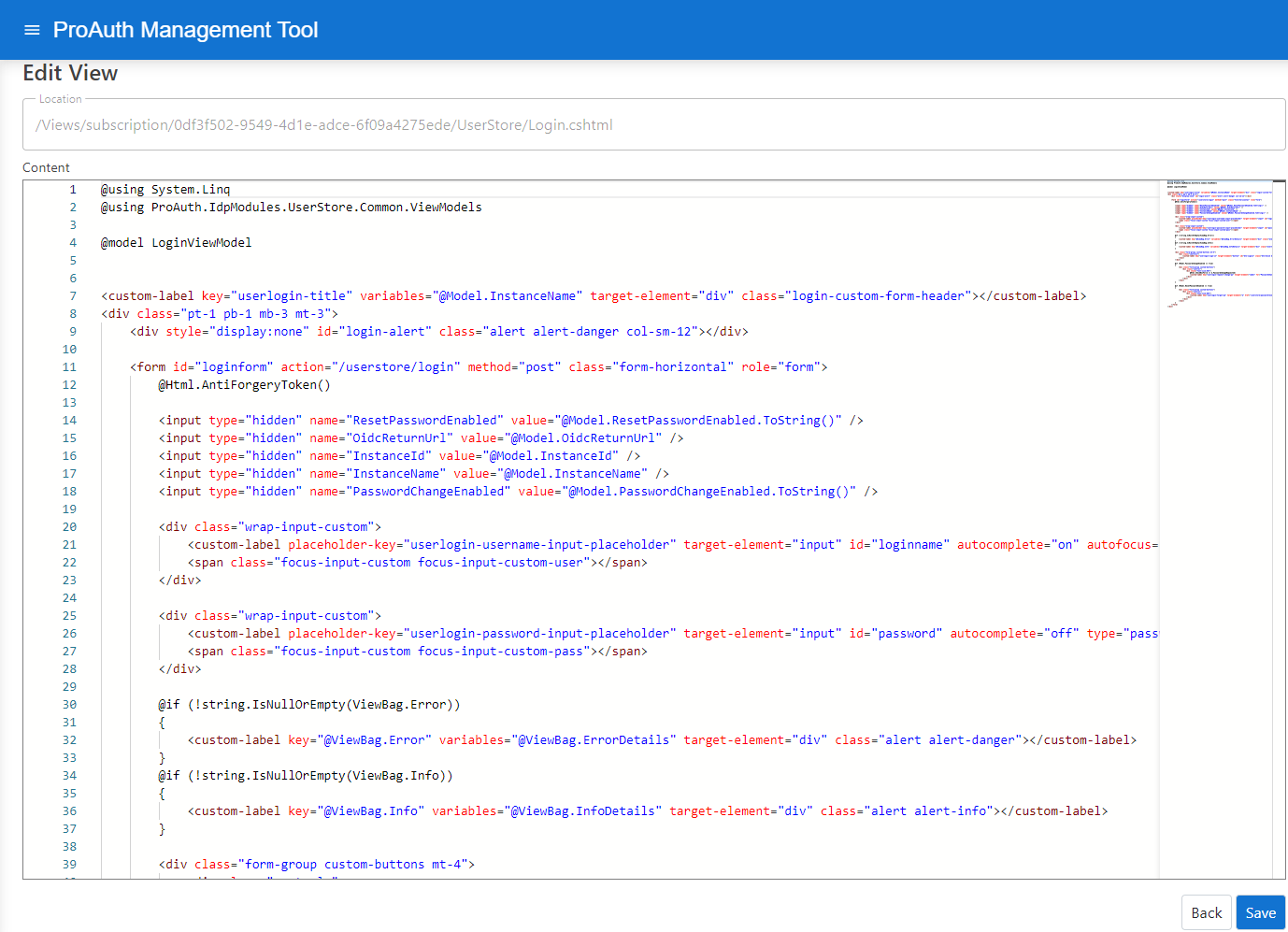
The Location field shows the relative path where this custom view overrides the template view.