Version v3.0.4
Tenants
Every subscription can have multiple tenants, at least one. When you run ProAuth on-prem, the tenant typically represents a specific service of the product or application. When you run ProAuth as a Service, then the tenant typically represents your customers service or application.
Create Tenant
To create a new tenant, you need a ProAuthUser or a ClientApp which has been assigned at least the SubscriptionAdmin role.
Steps to create a new Tenant:
- Navigate to the ProAuth Admin UI and login with a user assigned to role
SubscriptionAdminor higher - Navigate to
Tenantsand click onCreate Tenant
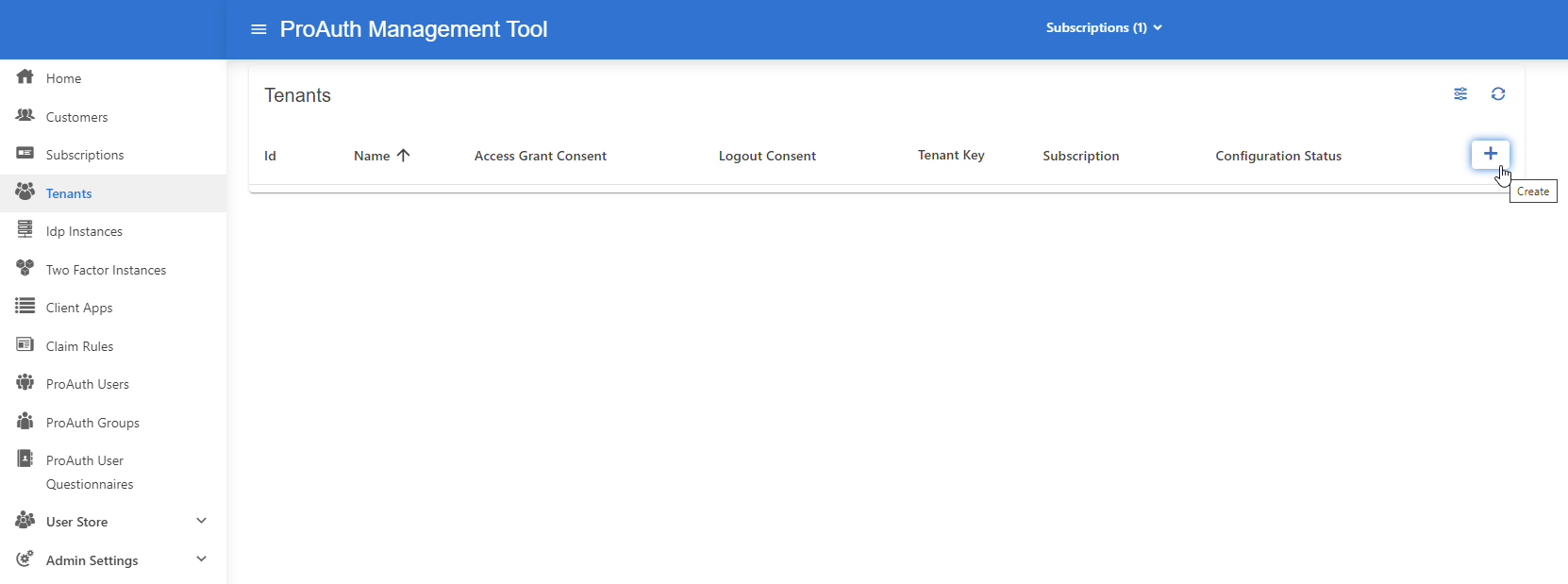
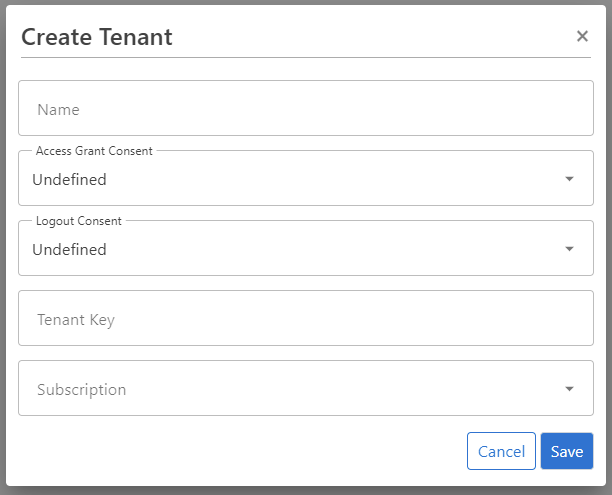
Configure Tenant
To edit a new tenant, you need a ProAuthUser or a ClientApp which has been assigned the SubscriptionAdmin role.
Steps to create a new Tenant:
- Navigate to the ProAuth Admin UI and login with a user assigned to role
SubscriptionAdminor higher - Navigate to
Tenantsand click onEdit Tenant- on the extended edit view, you can edit the tenant options and all tenant dependencies

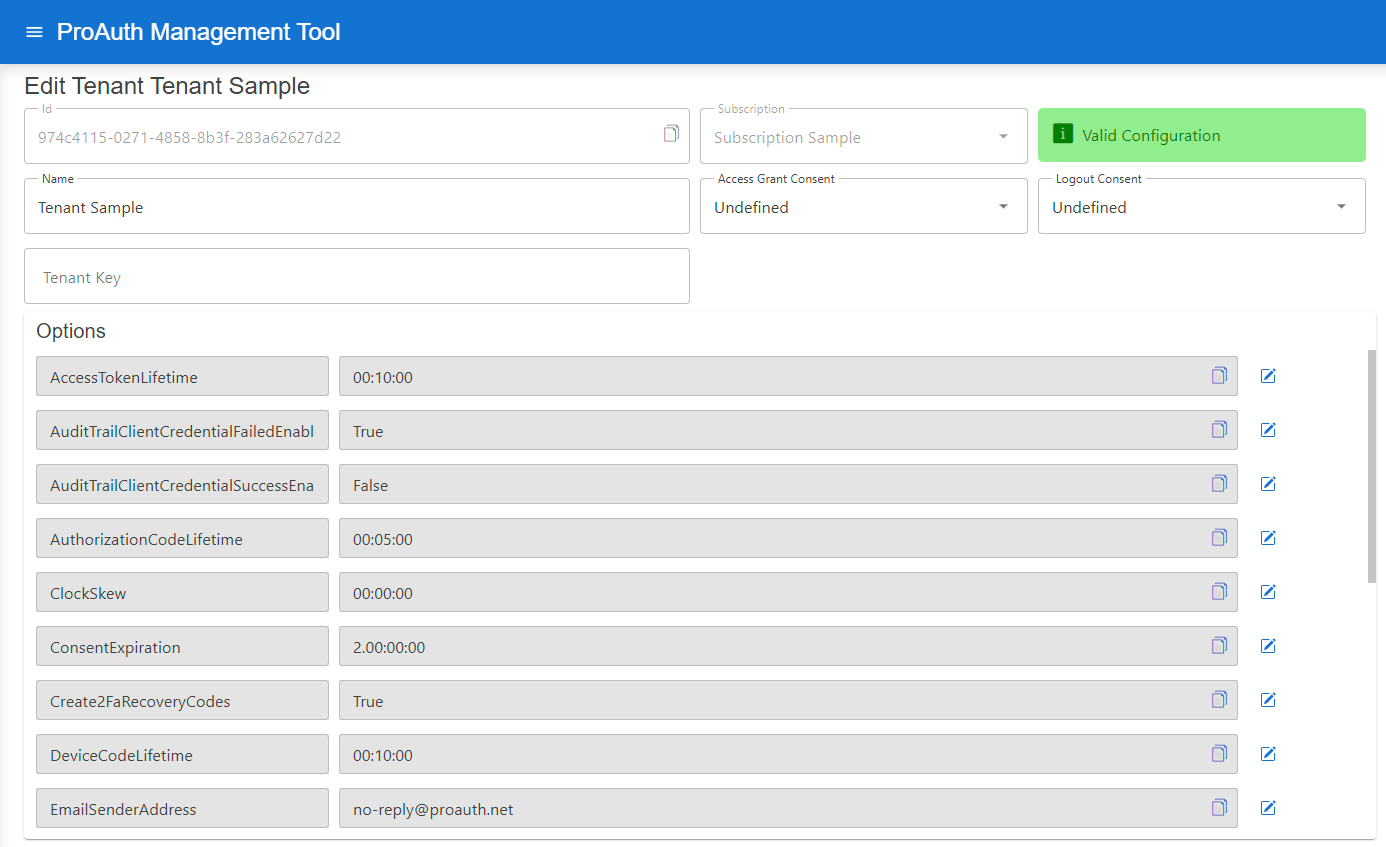
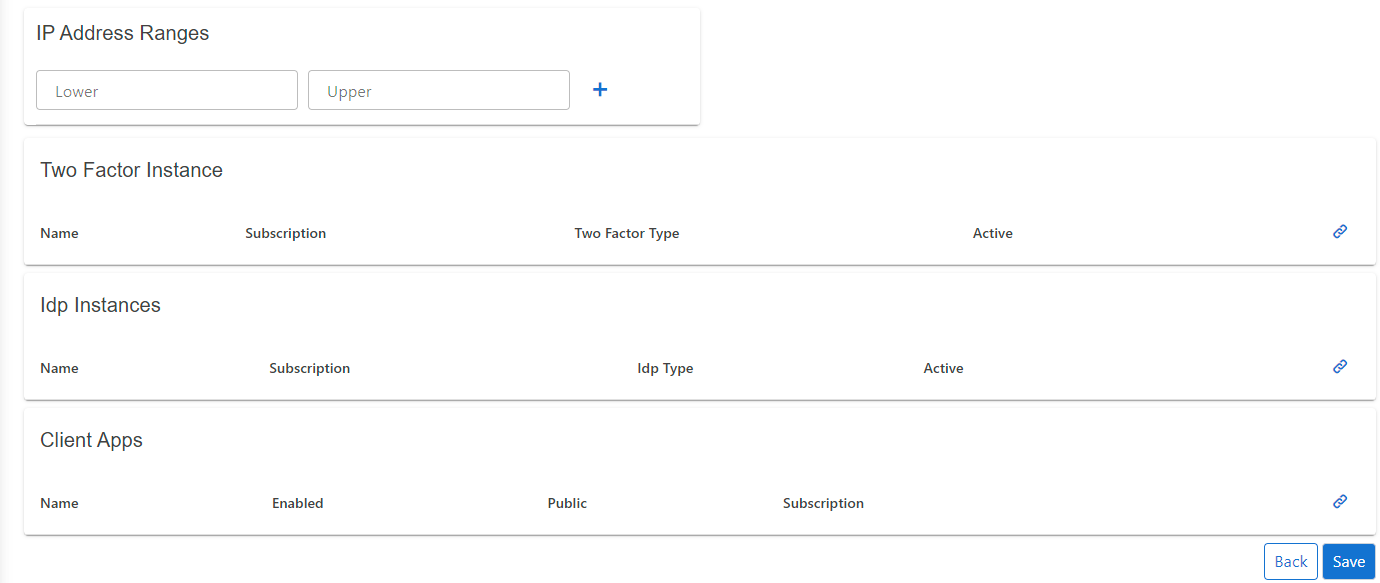
Configure mail setting Options for sending ProAuth User Invitations:
- Set the
EMailSenderAddress - Set the
MailServerConfig


MailServerConfiguration sample data for SMTP Server:
json
{
    "MailType": "SMTP",
    "Host": "<smtp-host-address>",
    "Port": 465,
    "EnableSSL": true,
    "UserName": "<smtp-username>",
    "Password": "<smtp-password>",
    "Timeout": 20000
}
MailServerConfiguration sample data for Microsoft365:
json
{
    "MailType": "M365",
    "ClientId": "<aad-app-clientid>",
    "ClientSecret": "<aad-app-clientsecret>",
    "TenantId": "<aad-app-tenantid>",
    "UserId": "<aad-user-objectid>"
}
Enable reset of the MFA factor
By default, an MFA factor can only be reset when using a recovery key during MFA code verification. By enabling the option MfaFactorResetEnabled you enable the possibility to reset an MFA factor during regular MFA code verification.

Tenant AuditTrail
By default, failed login attempts with client credential grant type are audited in ProAuth. Optionally, all successful logins to ProAuth can also be audited.
The auditing of logins with client credential grant type can be controlled by following Tenant options:

Tenant specific Issuer
Usually the ProAuth root issuer is used to issue tokens to the clients. However, each OIDC endpoint is available with a tenant specific URL which contains either the tenant id or the tenant key as the first token in the URL path.
The pattern is defined as following:
<ProAuth Root URI>/<Tenant ID><ProAuth Root URI>/<Tenant Key>
Sample:
| Setting | Value |
|---|---|
| ProAuth URI | https://idp.sample.com |
| Tenant.Id | 00000000-0000-0000-0000-000000000000 |
| Tenant.Key | tenant-123 |
Possible Authority URL:
- https://idp.sample.com/
- https://idp.sample.com/00000000-0000-0000-0000-000000000000
- https://idp.sample.com/tenant-123
Each of the above URLs will have a dedicated issuer assigned.
Tenant specific Issuer with Root Issuer
In multi-tenancy scenarios, where the clients aren't able to set the ACR values in the query parameters of the request, it's possible to use the ProAuth Root Issuer within the Tenant specific Issuer routes. The main use case for this scenario is to authenticate devices which always belong to a single tenant. Multi-tenant web application should always use tenant-specific URLs or ACR values.
This behavior is controlled by the Tenant option UseTenantSpecificIssuerOnTenantSpecificEndpoints:

WARNING
If the Tenant option UseTenantSpecificIssuerOnTenantSpecificEndpoints is switched off, this no longer corresponds to the Openid Connect standard for discovery endpoints. The standard implies that the issuer needs to be exactly the same as the URL in front of /.well-known/openid-configuration. However, many client libraries ignore the additional path. The critical part of identity token validation is not at risk because the issuer in the discovery document and the token issuer match. The use of this option is at your own risk that the client library can handle it correctly. If the client has implemented a corresponding validation, validation errors may occur.
Tenant Pipeline identification
To define a specific tenant pipeline for the Client Application to authenticate, there exists several possibilities.
By ACR Value
By providing an ACR value to the authentication request, you can define the Tenant ID for the current flow.
The ACR value should be defined as following:
acr_values=tenant:<Tenant ID>
By route value
All the OIDC endpoints are available as tenant specific URLs. To use this, either add the tenant id or the tenant key as the first path token of the URL.
The pattern is defined as following:
<ProAuth Root URI>/<Tenant ID><ProAuth Root URI>/<Tenant Key>
By redirect URI
To identify tenant by tenant specific URLS (i.e. tenantkey.myapp.com), you can define a client application return URI with a placeholder containing the tenant id or using the predefined tenant key. This is commonly used for multi-tenant web applications.
The tenant specific parts of the redirect URI can be expressed by inserting the following placeholders in your redirect URI.
- Tenant ID:
- Tenant Key:
Multi-tenant enabled web applications will be loaded with a tenant specific URL. The authentication request will most probably contain this tenant specific URL as the redirect URI. If this is the case, ProAuth will identify the tenant automatically.
Sample:
Client Application redirect URI in ProAuth:
https://myapp.sample.com//signin-oidc
or
https://.myapp.sample.com/signin-oidc
Redirect URI in authentication request:
https://myapp.sample.com/00000000-0000-0000-0000-000000000000/signin-oidc
or
https://my-tenant-key.myapp.sample.com/signin-oidc